The short answer
An AI data center server is not a bigger version of the servers that run websites and databases. It is built around a baseboard that carries eight GPUs linked to each other by a dedicated high-speed fabric, plus two server CPUs, one to four terabytes of memory, eight high-speed network adapters and local flash storage. NVIDIA sells that baseboard as HGX to server makers such as Dell, Supermicro, HPE and Lenovo, and as a complete system under its own DGX name. AMD’s equivalent puts eight Instinct accelerators on a universal baseboard.
The rack is where the difference becomes physical. A general-purpose CPU rack supports up to 12 kW, according to SemiAnalysis. NVIDIA’s design guide for its H100 SuperPOD recommends four DGX H100 systems per rack, which puts the rack at 40.8 kW. A GB200 NVL72, the rack-scale system that joins 72 Blackwell GPUs into one NVLink domain, needs approximately 120 kW and liquid cooling.
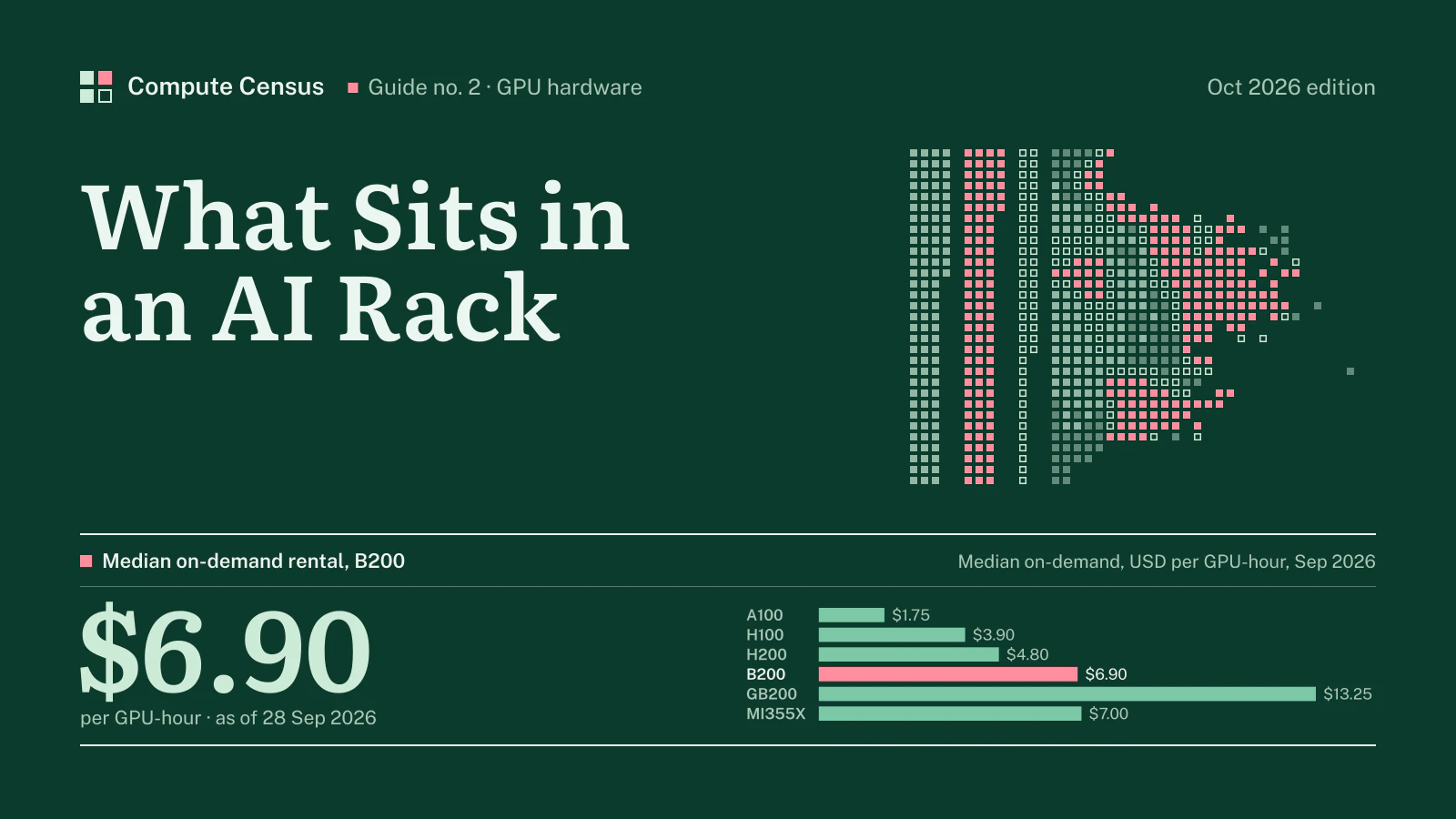
Most buyers rent rather than build. At the Compute Census index snapshot of 6 Nov 2026, an eight-GPU B200 server rents for $6.90 per GPU-hour at the median, an H100 for $3.90 and a GB200 slot for $13.25. This guide explains what each of those servers contains, what the rack around it needs, and what the numbers mean for a team deciding between buying hardware and renting time on it.
One AI server: eight GPUs on a board
The baseboard
Nearly every AI training server sold since 2020 follows one pattern: eight accelerators on a single board, connected to each other directly rather than through the server’s CPUs. On NVIDIA systems that connection is NVLink, carried through NVSwitch chips on the board. NVIDIA’s HGX specification describes a single baseboard with eight Rubin, Blackwell or Blackwell Ultra SXM modules; the older Hopper and Ampere generations used the same eight-way layout.
The reason is the shape of the workload. Training a large model splits it across many GPUs that must exchange data constantly. Traffic between the eight GPUs in a box is the heaviest of all, so it gets the fastest links. The DGX B200, NVIDIA’s own eight-GPU Blackwell system, lists 14.4 TB/s of aggregate NVLink bandwidth between its GPUs. Traffic to the next server goes out through network cards, at a fraction of that speed.
AMD builds the same way. Its Instinct MI350 Series platform takes eight MI355X or MI350X accelerators in the OAM module format on a universal baseboard, and AMD offers it both for standard air-cooled servers and for denser direct-liquid-cooled systems. Each MI350 Series accelerator carries 288 GB of HBM3E memory with 8 TB/s of bandwidth, the largest memory per device among the parts in our index.
What else is in the box
Around the GPUs sits an ordinary server, scaled up. The DGX B200 has two Intel Xeon Platinum 8570 processors with 112 cores in total and two terabytes of system memory, configurable to four. Its network side has eight single-port ConnectX adapters for the cluster fabric, served through four OSFP ports, plus separate ports for storage and management. The DGX H100 and H200 follow the same plan with Xeon 8480C processors.
The proportions matter for anyone reading a server quote. The GPUs are the largest line, but not the whole bill. Memory, network adapters, local NVMe drives and power supplies can move the price of two “eight-GPU servers” by tens of thousands of dollars. Our H100 guide shows how much: reseller listings for one eight-GPU H100 model ranged widely depending only on memory, storage and networking. See the H100 price guide for the figures.
Three generations, one shape, rising power
The shape has stayed constant while the power has not. NVIDIA’s user guides give the maximum power of each generation’s DGX:
- DGX A100 (Ampere): 6.5 kW maximum, from six 3,000 W supplies in a 3+3 redundant layout, in a 6U chassis weighing up to 123.16 kg.
- DGX H100 and H200 (Hopper): 10.2 kW maximum, from six 3,300 W supplies in a 4+2 layout, in an 8U chassis weighing up to 130.45 kg.
- DGX B200 (Blackwell): 14.3 kW maximum, from six 3,300 W supplies in a 5+1 layout, in a 10U chassis weighing up to 142.4 kg.
Each step adds roughly half again to the power of a single server. Each step also cuts the redundancy margin: the A100 system keeps running on half its supplies, the B200 on five of six. That is a facility problem as much as a server one, because the power has to reach the rack before the server can use it.
Memory decides what a server can do
The figure that most often decides which server a job needs is memory, not compute. A model’s weights, the working state of training and the cache of a long conversation all have to sit in the GPU’s high-bandwidth memory, or the job slows to the speed of the links between GPUs. Each generation has added memory per GPU: the H100 in our index carries 80 GB, the H200 141 GB, the B200 180 GB and AMD’s MI355X 288 GB.
At the server level the totals become large. NVIDIA lists 1,440 GB of GPU memory in total for the DGX B200, with 64 TB/s of combined HBM3e bandwidth. The GB200 NVL72 rack carries 13.4 TB. A model that needs two eight-GPU Hopper servers may fit in one Blackwell server, and a model that needs several Blackwell servers may fit in one NVL72 rack, where every GPU can reach every other at NVLink speed. That is the practical meaning of the rack-scale designs: fewer hops through the slower network for the same model.
Memory is also where rental prices make most sense. The index computes a median price per gigabyte of GPU memory for every model, and the ranking by that measure differs from the ranking by price per GPU. For memory-bound inference, the per-gigabyte figure in Table 2 below is the better guide.
The CPU still matters
The CPUs in an AI server do not train the model, but they feed it. They run the data-loading pipeline, the operating system, the networking stack and the job scheduler, and a server with too little CPU or memory leaves its GPUs waiting. The x86 servers pair eight GPUs with two server processors. NVIDIA’s Grace Blackwell design changes the ratio: each GB200 superchip pairs one 72-core Grace CPU, built on Arm Neoverse V2 cores with up to 480 GB of LPDDR5X memory, with two Blackwell GPUs. A full NVL72 rack therefore carries 2,592 Arm cores and 17 TB of CPU memory alongside its GPUs.
For buyers this has one consequence that is easy to miss. Software written and tested on x86 servers usually runs on Grace, but not always without work, and the team that will operate the cluster should confirm its stack before committing to a rack-scale Arm system.
A single server is not an “AI data center at home”
People search for an NVIDIA data center at home, and the honest answer is that the smallest unit of one is a server, and even a single server does not belong in a house. A DGX B200 weighs up to 142.4 kg, takes 10 rack units and draws up to 14.3 kW through six power supplies rated for 200 to 240 volts. A typical home circuit cannot feed that, and the cooling and noise rule out a living space.
What does fit at home, or in an office, is a workstation with one to four GPUs, or a consumer card such as the RTX 5090. Those are useful for development, fine-tuning small models and inference. They are not the same class of machine: they lack the eight-way NVLink fabric, the eight cluster network adapters and the power delivery that make an AI server part of a larger cluster. Renting a single data center GPU by the hour is usually cheaper than building a home rig for occasional large jobs; the index lists the hourly rate of every part, from the RTX 4090 at $0.42 to the B200.
Training servers and inference servers
Not every AI server is a training server. Inference, the work of answering requests from a trained model, often runs on smaller machines: standard two-socket servers with four or eight PCIe GPUs such as the L40S, without the eight-way NVLink baseboard and with fewer cluster network adapters. The L40S rents for $1.53 per GPU-hour at the median in our index, a fraction of the training-class parts. These servers fit ordinary racks at ordinary densities, and they are the backbone of many inference fleets.
The line between the two classes is blurring. Large models served to many users need the memory and NVLink bandwidth of training-class systems, and the newest rack-scale designs are marketed as much for inference as for training: NVIDIA’s own description of the GB200 NVL72 leads with real-time inference on trillion-parameter models. The question to ask is not “training or inference” but how much memory and GPU-to-GPU bandwidth the model needs per request.
The rack: from four servers to one system
Air-cooled racks of eight-GPU servers
The Hopper generation established the standard AI rack. NVIDIA’s SuperPOD design guide for the DGX H100 says the systems are best deployed at four per rack, for a rack power of 40.8 kW, and lists the alternatives: two systems per rack at 20.4 kW, or one at 10.2 kW, with proportionally more racks. A scalable unit of 32 systems needs 326.4 kW of server racks however it is arranged, plus two management racks for the InfiniBand leaf and spine switches, management servers and storage.
That table tells a buyer something useful. A facility that can only deliver 20 kW per rack can still host DGX H100 systems; it just needs twice the floor space and longer cables. Rack density is a design choice bounded by the building, and the building usually decides.
NVL72: the rack becomes the computer
Blackwell changed the unit. The GB200 NVL72 joins 36 Grace CPUs and 72 Blackwell GPUs in a single rack, connected so that all 72 GPUs share one NVLink domain. NVIDIA’s specifications give the rack 13.4 TB of HBM3E memory with 576 TB/s of bandwidth and 130 TB/s of NVLink bandwidth, with 1.8 TB/s of GPU-to-GPU interconnect per GPU. To software, the rack behaves more like one very large accelerator than like nine separate servers.
The physical consequences follow. SemiAnalysis describes the rack as 18 one-unit compute trays, each with two boards of one Grace CPU and two Blackwell GPUs, plus nine NVSwitch trays, and puts its power need at approximately 120 kW. NVIDIA’s DGX GB200 reference design uses eight power shelves per rack, each with six 5.5 kW supplies that can deliver up to 33 kW. A two-rack variant, NVL36x2, spreads the same 72 GPUs over two racks of about 66 kW each, at the cost of roughly 10 kW more in total for the extra switches and cabling.
The arithmetic of the power shelves is worth a second look. Eight shelves of up to 33 kW each give the rack well over twice the power it is expected to draw. That headroom is redundancy: a failed supply or a failed feed must not take down 72 GPUs at once. It also means that the electrical infrastructure behind one NVL72 position, the busways, breakers and feeds, has to be sized for far more than the average load. Hosting providers price that infrastructure, not just the energy.
Weight and floor loading
Power is the constraint people discuss; weight is the one that surprises them. Four DGX B200 systems at up to 142.4 kg each put about 570 kg of servers in one rack, before the rack itself, the power distribution and the cabling. Liquid-cooled rack-scale systems add manifolds, coolant and heavier frames. Older raised floors were not designed for loads like these, which is one reason AI halls are increasingly built on slab floors with power and cooling delivered from above.
Why liquid cooling arrived
Air has a limit. SemiAnalysis notes that higher-density H100 air-cooled racks typically support about 40 kW, and that moving well past 40 kW per rack is the primary reason liquid cooling is required for GB200. NVIDIA’s DGX GB200 design is hybrid: the GPUs and CPUs are liquid cooled, and the remaining components are cooled by air. The facility therefore needs both chilled liquid loops to the racks and conventional air handling.
Our campus census shows how far the industry has moved. Of the AI campuses we track, 257 record liquid cooling in their source documents, and where operators publish a maximum rack density, the median of those maxima is 100 kW per rack. Those figures describe what campuses are being built for. The table below shows where those campuses sit by status.
Table 1AI campuses in the census by status, with published capacity
| Status | Campuses | With published MW | Published MW |
|---|---|---|---|
| Under construction | 259 | 227 | 51,090 |
| Announced | 131 | 111 | 37,645 |
| Operational | 275 | 158 | 9,132 |
Compute Census AI campus census, records to 15 Nov 2026. MW summed only where a source publishes a figure. Full list: AI data center census.
The next generation is already shipping
Server buyers plan against a moving target. NVIDIA’s HGX page already lists the Rubin generation: the HGX Rubin NVL8 puts eight Rubin GPUs on one baseboard with sixth-generation NVLink, which NVIDIA says delivers up to ten times the token throughput of the HGX B200 and matches its training performance with a quarter of the GPUs. It can be paired with NVIDIA’s Vera CPU or with an x86 baseboard, and NVIDIA states that Vera Rubin systems are ramping into full production with Taiwanese server makers. Blackwell Ultra, the B300 and GB300, sits between the two generations.
Two lessons follow for anyone buying servers today. The eight-GPU baseboard and the rack-scale system are both here to stay, so the facility questions in this guide will not go away with the next chip. And each new generation lowers what the market will pay for the previous one, which is visible in the rental index: the A100’s median, $1.75 today, started our history at $3.20 in 1 Jan 2024. Buying at the start of a generation buys the longest useful life; buying at its end buys the lowest price.
NVIDIA or AMD in the server
For most of the AI boom the choice of server was a choice among NVIDIA systems. AMD’s Instinct line now offers a real alternative in the same eight-way form, on a universal baseboard that server makers can take in air-cooled or liquid-cooled versions. Its main argument is memory, 288 GB per MI355X, and its main question is software, since most AI code is written and tuned first for NVIDIA’s CUDA stack. The rental index gives a third angle: the MI355X median of $7.00 per GPU-hour, against $6.90 for the B200, from fewer providers. Teams that can run their models on both should price both; teams tied to CUDA have one option in practice.
Networking: two fabrics, not one
Scale-up and scale-out
An AI cluster runs two kinds of network. The scale-up fabric connects GPUs inside one server, or inside one NVL72 rack, through NVLink. The scale-out fabric connects servers to each other through the eight network adapters in each machine. Training traffic uses both, and the cluster is only as fast as the slower of the two allows.
For the scale-out side, there are two families. InfiniBand, now at 800 Gb/s per port in NVIDIA’s Quantum-X800 platform, was the default for the largest training clusters of the Hopper era. Ethernet tuned for AI is the alternative: NVIDIA’s own Spectrum-X platform claims 1.6 times the AI network performance of off-the-shelf Ethernet, using RDMA over Converged Ethernet with congestion control built into its switches and adapters.
Why the network costs so much
The network is a large share of a cluster’s price. The Next Platform reported in 2024 that NVIDIA has argued InfiniBand represents about 20 percent of cluster cost and improves training performance by about the same amount, against 10 percent or less for clusters built on Ethernet. Either way, a buyer who prices only the servers misses a fifth of the bill or more.
Topology adds to it. SemiAnalysis explains that no one builds a full fat-tree network for large GPU clusters, because every extra layer of switches multiplies the optics. The common design instead is rail-optimised: each of a server’s eight network adapters connects to a different leaf switch, so GPU number one in every server shares a “rail” with GPU number one in every other. It keeps most traffic one hop away, at the price of many more cables leaving every rack.
The choice between InfiniBand and Ethernet is less about raw speed than about operations. InfiniBand has a longer record in large training clusters and arrives as one integrated system. Ethernet lets an operator use the same skills, tools and, in principle, a wider range of suppliers as the rest of its data center. NVIDIA sells both, and its Spectrum-X pitch is precisely that a tuned Ethernet fabric can close most of the performance gap. For a renter the question is simpler: ask which fabric links the nodes, at what speed per GPU, and whether it is non-blocking at the size of cluster you will use.
The cluster scale
The same analysis gives the scale of a frontier cluster. A 100,000-GPU H100 cluster requires more than 150 MW of data center capacity and costs in excess of $4 billion in server capital expenditure alone. Few buyers build at that size. The proportions still hold at the scale of a single rack: the GPUs dominate the bill, the network is the second line, and the building decides how dense the whole thing can be.
SemiAnalysis also priced the electricity. At more than 150 MW, such a cluster would consume about 1.59 terawatt hours a year, which at a standard rate of $0.078 per kWh is about $123.9 million annually. Against server spending of $4 billion or more, energy is a modest line in the first year. Over the four to six years that hardware is usually kept, and with PUE on top, it becomes a material one.
Storage and the racks nobody photographs
Training clusters read and write enormous datasets and save checkpoints of the model at intervals, so every AI cluster has a storage tier separate from the servers’ local drives. NVIDIA’s H100 SuperPOD design puts storage in dedicated management racks, alongside the InfiniBand spine switches and management servers, for every scalable unit of 32 systems. The DGX B200 itself carries separate network ports for storage traffic, so that reading data does not compete with GPU-to-GPU traffic on the compute fabric.
These racks matter for planning because they draw power and floor space without adding a single GPU. A buyer who sizes a hall from GPU racks alone will run out of room or power for the switches, storage and management equipment that the GPU racks depend on. Hosting quotes should list them as separate line items.
What each server class rents for
The index by class
Renting an AI server means renting one of the classes above, usually by the GPU-hour. The table compares the main classes in our index on the same basis: median on-demand price per GPU-hour, the cost of one GPU for a full month at that median, memory per GPU and the median price per gigabyte of GPU memory.
Table 2AI server classes in the rental index, USD
| Model | Median | Median × 730 h | Memory | Median per GB of memory | Providers |
|---|---|---|---|---|---|
| A100 | $1.75 | $1,278 | 80 GB | $0.022 | 8 |
| H100 | $3.90 | $2,847 | 80 GB | $0.049 | 11 |
| H200 | $4.80 | $3,504 | 141 GB | $0.034 | 9 |
| B200 | $6.90 | $5,037 | 180 GB | $0.038 | 12 |
| GB200 | $13.25 | $9,673 | 186 GB | $0.071 | 5 |
| MI355X | $7.00 | $5,110 | 288 GB | $0.024 | 6 |
USD per GPU-hour, on-demand unless stated. Compute Census GPU price index of 6 Nov 2026.
Three things stand out in the comparison. First, the newest class does not always cost the most per unit of memory: the MI355X’s 288 GB changes the per-gigabyte arithmetic. Second, older classes have not disappeared. The A100, the Ampere part that preceded Hopper, still rents for $1.75 per GPU-hour at the median. Third, the spread inside each class is wide. The B200’s cheapest and dearest on-demand offers in our index differ by a factor of 4.4×.
Renting a whole server
Providers sell the eight-GPU server in different ways. Hyperscalers and many GPU clouds rent it as an eight-GPU instance billed as one unit; marketplaces and some clouds rent single GPUs carved from such servers. The per-GPU price is comparable, but the product is not: only the whole server gives you the eight-way NVLink fabric and all eight network adapters, which matter for multi-node training. For inference and single-GPU work, a slice is often enough.
Some providers make the difference visible in their price lists. Lambda, for example, prices its B200 instances per GPU but charges less per GPU for the eight-GPU instance than for a single GPU, because the whole server is easier to keep busy and to schedule. Hyperscalers go the other way and sell only the whole eight-GPU machine for their training classes. When comparing offers, convert everything to a price per GPU-hour, then check what comes with it: CPU, memory, local storage, network adapters and the fabric between servers.
The GB200 is sold differently again. Because the NVL72 rack is the natural unit, providers rent it in slices of four GPUs or more, and the per-GPU price in our index, $13.25 at the median from 5 providers, comes from a thin market where few clouds publish a rate at all.
Power and cooling: what the hosting needs
From kilowatts per server to megawatts per hall
The power figures above translate directly into hosting requirements. One DGX B200 draws up to 14.3 kW. Four of them in a rack approach 60 kW, more than most air-cooled halls built before 2023 can deliver to a single position. One NVL72 rack needs approximately 120 kW. A hall of 100 such racks needs 12 MW at the racks, before cooling and power losses.
Those losses are measured as power usage effectiveness, or PUE: total facility power divided by the power that reaches the IT equipment. The Uptime Institute’s 2026 survey found an industry-wide average of 1.52. Large new facilities do better. Applied to a 12 MW hall of NVL72 racks, the difference between a PUE of 1.52 and a much better figure is several megawatts of grid capacity, which is often the scarcest thing a campus has.
What the census shows about the buildings
The census of AI campuses records what developers say they are building. Across 665 campuses in 56 countries, the pipeline of capacity under construction and announced reaches 88.7 GW. Liquid cooling appears in the records of 257 campuses. The trend is plain: new AI campuses are designed around the rack densities of NVL72-class systems, not around the 10 to 20 kW racks of a conventional data center.
Table 3AI campuses in the census by published capacity class
| Capacity class | Campuses | With published MW | Published MW |
|---|---|---|---|
| 1 GW or more | 27 | 27 | 41,730 |
| 500–999 MW | 18 | 18 | 11,386 |
| 100–499 MW | 156 | 156 | 33,370 |
| Under 100 MW | 295 | 295 | 11,380 |
| Not published | 169 | 0 | 0 |
Compute Census AI campus census, records to 15 Nov 2026. MW summed only where a source publishes a figure. Full list: AI data center census.
Before signing for a site, a buyer of AI servers should be able to answer five questions from the hosting contract: how many kilowatts each rack position can draw continuously, and at what redundancy; whether liquid cooling is installed or only planned, and at what supply temperature; how much floor loading the hall supports; how many network cables can leave each rack and where the switch racks sit; and how much power and space are reserved for storage and management equipment. Each of these has stopped deployments that had servers, money and a customer ready.
For a buyer, this means the binding constraint is often not the server but the slot. A rack position with 120 kW of power and liquid cooling is a scarce product, and it is usually leased in blocks of whole halls to large tenants. Smaller buyers reach that capacity through GPU clouds that lease the halls and rent the servers.
Buying or renting a rack
When buying makes sense
Owning AI servers pays when they stay busy for years. The capital cost is high, the power and hosting run whether the GPUs work or not, and the hardware loses value as newer generations arrive. The break-even calculation for the H100, with purchase prices, power and hosting, is worked through in our H100 price guide; the method applies to any class in Table 2.
Ownership also requires a home. A buyer of NVL72 racks needs a facility with liquid cooling and about 120 kW per rack today, not after a retrofit. A buyer of air-cooled eight-GPU servers has more choice, but at 40 kW per rack still needs a modern hall. Securing the site before ordering the servers avoids paying for hardware that sits in a warehouse.
When renting makes sense
Renting wins when utilisation is uncertain, when the work comes in bursts, or when the team wants the newest class without committing capital to it. The index shows that the same part is offered across a wide range of prices, so the choice of provider matters as much as the choice of GPU. Reserved terms lower the hourly cost for steady workloads; the H100’s published 12-month rate in our index is $3.26, against the on-demand median above.
Table 4B200 servers: prices by provider, USD per GPU-hour
| Provider | Offer | USD / GPU-hr | As of |
|---|---|---|---|
| Verda | Spot | $3.12 | 2026-09-28 |
| DeepInfra | On-demand | $3.69 | 2026-09-28 |
| Packet.ai | On-demand | $3.75 | 2026-09-28 |
| Civo | On-demand | $3.79–$4.49 | 2026-09-28 |
| Nebius | On-demand | $3.95–$7.15 | 2026-09-28 |
| Beam | On-demand | $4.11 | 2026-10-20 |
| CoreWeave | On-demand | $4.26–$8.60 | 2026-09-28 |
| CoreWeave | Spot | $4.26 | 2026-10-20 |
| Silicon Data index | Third-party index | ~$5.45 | 2026-09-28 |
| Verda | On-demand | $6.23 | 2026-09-28 |
| AIMultiple index | Third-party index | ~$6.52 | 2026-09-28 |
| Lambda | On-demand | $6.69–$6.99 | 2026-10-20 |
| Vast.ai | Marketplace | ~$6.82 | 2026-09-28 |
| Runpod | On-demand | $7.99 | 2026-10-20 |
| Oracle Cloud | On-demand | $14.00 | 2026-09-28 |
| Google Cloud | On-demand | $16.11 | 2026-09-28 |
Price points recorded by the Compute Census index for the B200; third-party index rows are context, not providers. Full table: B200 rental price.
Questions to ask a seller or a provider
- Which system is it: HGX baseboard in a third-party server, DGX, NVL72 or an AMD OAM platform?
- What is in the server besides the GPUs: CPUs, memory, network adapters, local storage, power supplies?
- Which scale-out fabric connects the servers, at what speed, and in what topology?
- What rack power and cooling does the hosting provide today, and what is reserved for storage and switches?
- For rentals, is the price for a whole eight-GPU server, a slice of one, or a shared pool?
We handle both routes. AI servers are available for purchase and GPU capacity for rent, through different partners, and the terms are agreed individually for each request. Tell us the system, quantity, location and timing in the form below, and we come back with what is available and on what terms.