The short answer
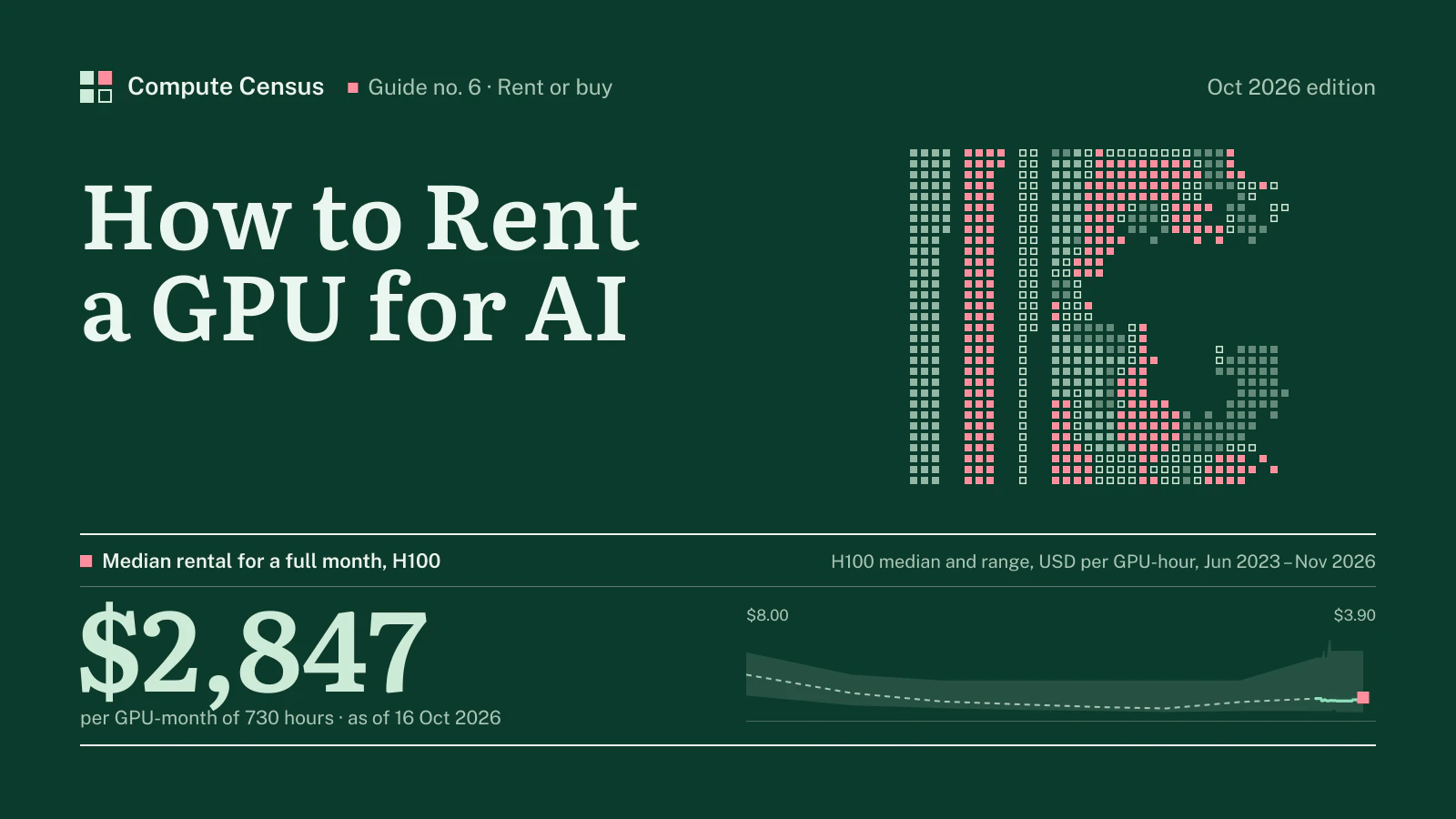
Renting a GPU for AI means buying time on someone else’s hardware, by the second, the hour or the month. In the Compute Census index of 6 Nov 2026, the median on-demand price of an H100 is $3.90 per GPU-hour, which comes to $2,847 for one GPU running all month. The same index records prices from under a dollar an hour for consumer cards to double digits for rack-scale Blackwell systems, so the first decision is not where to rent but what.
The price you pay depends as much on how you rent as on which GPU you choose. On-demand capacity is yours until you release it, at the full rate. Spot or interruptible capacity is cheaper because the provider can take it back. Reserved capacity is cheaper because you commit to pay for it for months or years, whether you use it or not. Between those three, the same GPU can differ in price by a factor of two or more.
This guide is the practical companion to our price index. It explains what exactly you are renting, what each offer type costs and risks, what a month really costs once storage and data transfer are added, which contract terms matter, which checks to run before signing, and when it is time to stop renting and buy. For the current price of each model, see the GPU price index.
What you are actually renting
A slice, a GPU, a server or a cluster
“Renting a GPU” covers four different products, and they are priced differently even when the GPU model is the same.
- A slice of a GPU. Data center GPUs can be partitioned into isolated instances; an H100 or H200 can be split into up to seven. Some providers rent these slices for inference or development at a fraction of the full-GPU rate.
- One GPU in a shared server. The most common rental: a virtual machine or container with one or a few GPUs from a larger server, plus a share of its CPU, memory and storage. Marketplaces and most GPU clouds sell this way.
- A whole server. Eight GPUs on one baseboard, connected by NVLink, with all of the server’s network adapters. Hyperscalers sell their training-class instances only this way, and GPU clouds offer it for multi-GPU work.
- A cluster. Many servers in one building on a dedicated fabric, delivered as a block for a term. This is what training runs need, and it is almost always quoted rather than published.
The per-GPU price of a whole server and of a single GPU carved from one can look similar. The product is not: only the whole server, or the cluster, gives you the fast links between GPUs that multi-GPU training depends on. For inference and single-GPU work, a slice or a single GPU is usually enough.
Containers, virtual machines and bare metal
The second question is what software layer you get. Container-based platforms start a GPU workload in seconds from an image, bill by the second and suit experiments and inference. Virtual machines give a full operating system and fit teams that already manage servers. Bare-metal servers give the whole machine with no virtualisation, which large training customers prefer for performance and control. The same provider may offer all three at different prices; Beam, for example, sells serverless GPU tasks billed while code runs alongside whole machines rented by the hour.
Which GPU for which job
The index makes the choice concrete. Development, image generation and small-model inference run well on consumer cards such as the RTX 4090, at $0.42 per GPU-hour at the median. Inference on mid-sized models and fine-tuning fit the L40S, at $1.53, or the A100, at $1.75. Training and large-model serving need Hopper or Blackwell: the H100, the H200 at $4.80 and the B200 at $6.90.
Table 1What a GPU costs to rent, by class: median per hour and per month, USD
| Model | Median | Median × 730 h | Memory | Providers |
|---|---|---|---|---|
| RTX 4090 | $0.42 | $307 | 24 GB | 4 |
| L40S | $1.53 | $1,117 | 48 GB | 10 |
| A100 | $1.75 | $1,278 | 80 GB | 8 |
| H100 | $3.90 | $2,847 | 80 GB | 11 |
| H200 | $4.80 | $3,504 | 141 GB | 9 |
| B200 | $6.90 | $5,037 | 180 GB | 12 |
USD per GPU-hour, on-demand unless stated. Compute Census GPU price index of 6 Nov 2026.
The monthly column assumes the GPU runs for 730 hours, every hour of an average month. Few workloads do. A team that runs experiments during working hours uses a third of that or less, and pay-per-second billing passes the saving on.
Memory decides more choices than speed. A model must fit in the GPU’s memory, with room for the cache that grows with each request, or it has to be split across several GPUs. The memory column in Table 1 is therefore the first filter: rule out every GPU too small for the model, then compare the rest on price. For a model that just fits on one larger GPU, renting that GPU is usually cheaper and simpler than splitting it across two smaller ones.
Renting for training and renting for inference
Training and inference make opposite demands on a rental. A training run needs many GPUs at once, in one place, connected by a fast network, for a fixed period: days for a fine-tune, weeks or months for a large model. It is sensitive to interruptions, because a lost node can stall every other GPU in the job, and to network quality, because the GPUs exchange data constantly. That points to whole servers or clusters, reserved for the length of the run, from a provider that can state the fabric and the replacement terms.
Inference needs the opposite. Traffic rises and falls through the day, so capacity should grow and shrink with it. Each request usually fits on one GPU or a slice of one, so the network between servers matters less. Latency to users matters more, so location does. That points to on-demand or serverless capacity, single GPUs or slices, spread across regions near the users, with a base of reserved capacity for the traffic that never goes away.
Many teams need both, and the mistake is to rent both the same way. Reserving a cluster for inference wastes money at night; serving a product from spot capacity loses users at the first interruption.
Offer types and their real price gaps
On-demand
On-demand is the default: you start capacity when you want, stop it when you want, and pay the full published rate. Runpod’s documentation describes its on-demand pods as resources dedicated to your workload that cannot be displaced by other users. Most providers bill on-demand capacity by the hour or by the second. The trade-off is availability. In periods of shortage, on-demand capacity for popular GPUs runs out first, because providers sell their fleets on contracts before they sell spare hours.
SemiAnalysis described exactly that in April 2026, reporting that on-demand GPU rental capacity was sold out across GPU types and that those holding on-demand instances were unwilling to release them. A published on-demand price is a price for capacity that may or may not be there.
Spot and interruptible
Spot, preemptible or interruptible capacity is spare capacity sold cheaply on the condition that the provider can take it back. The discounts are large. Google Cloud says Spot VMs are available at up to 91% discounts for many machine types, GPUs, TPUs and local SSDs compared with on-demand prices. Vast.ai says interruptible instances are often 50% or more cheaper than on-demand. CoreWeave’s price page in October 2026 listed an eight-GPU H100 node at $49.24 an hour on demand and $19.71 on spot.
The condition is real. AWS issues an interruption notice two minutes before it stops or terminates a Spot Instance. Microsoft says Azure evicts Spot Virtual Machines with 30 seconds’ notice when it needs the capacity back, and that there is no SLA for them. Google lets customers set a preemption notice duration and recommends 120 seconds for workloads that need more than 30 seconds to shut down cleanly. Spot capacity therefore suits work that saves its progress often and can restart: batch inference, data processing, training jobs with frequent checkpoints, hyperparameter searches. It does not suit a service that users depend on, or a training run that loses hours of work at every interruption.
Table 2H100 spot, marketplace and serverless offers in the index, USD per GPU-hour
| Provider | Offer | USD / GPU-hr | As of |
|---|---|---|---|
| Lium.io | Marketplace | $1.30 | 2026-09-21 |
| CoreWeave | Spot | $2.46 | 2026-10-20 |
Price points recorded by the Compute Census index for the H100; third-party index rows are context, not providers. Full table: H100 rental price.
Marketplaces
Marketplaces such as Vast.ai aggregate GPUs from many hosts, from data centers to smaller operators, and let the market set the price. Vast.ai describes rates set by supply and demand across more than 40 data centers, with per-second billing and no minimum hours. Marketplace rates are often the floor of our index for mature parts. The trade-off is variability: hosts differ in reliability, network and storage, and a rate can change from one hour to the next.
Serverless
Serverless GPU platforms charge only while your code runs, often by the millisecond, and scale from zero to many GPUs as requests arrive. The hourly equivalent is higher than a machine rate for the same GPU, because the provider carries the idle time. For inference with uneven traffic, that is usually cheaper overall; for a GPU that would be busy all day, it is not.
Reserved terms and savings plans
Commitment is the other route to a lower price. Providers that publish term rates show the size of the discount. Civo lists every GPU size with on-demand and six-, twelve-, twenty-four- and thirty-six-month rates; its H100 SXM falls from $2.99 an hour on demand to $2.69 on a twelve-month term and $2.49 on thirty-six. DigitalOcean lists twelve-month reserved rates beside its on-demand Droplets. Runpod sells savings plans of three or six months paid upfront, which cover GPU compute but not storage and are non-refundable. Vast.ai says reserved instances offer up to 50% off with commitment.
In our index, the H100’s published twelve-month rate is $3.26, or −16% against the on-demand median, and a full month at that rate costs $2,380. For the A100 the twelve-month rate is $1.59, a month at that rate $1,161.
Capacity reservations
Between on-demand and long terms sits a newer product: reserving capacity for a fixed window. AWS’s Capacity Blocks for ML let customers reserve GPU instances for days or weeks, with a start time up to eight weeks in the future, up to 64 instances per block and up to 256 across blocks. In October 2026 a block of eight H100s cost $47.757 per instance-hour, or $5.970 per GPU-hour, in most US regions. The price is above many on-demand offers in our index; what it buys is certainty that the GPUs will be there on the dates booked, which on-demand cannot promise.
Choosing a region
Where the GPUs sit affects price, latency and law. Prices for the same GPU differ between regions at the large clouds and between providers’ data centers elsewhere; Azure’s eight-GPU H200 virtual machine, for example, is priced differently in different regions. For inference, the distance to users adds latency to every request, which matters for interactive applications and less for batch work. For training, location matters mainly for data: moving a large dataset to a distant region takes time and, at some providers, money.
Law and compliance can decide the question outright. Personal data, health records and financial data are often subject to rules about where they may be processed. A rental in the wrong jurisdiction can be cheap and unusable. Check the rules for your data before comparing prices, not after.
Security and isolation
Renting means running your code and data on hardware someone else controls, often next to other customers. The degree of isolation varies by product. A whole bare-metal server is yours alone for the term. A virtual machine shares a host with others behind a hypervisor. A GPU slice shares a physical GPU with other workloads, isolated by the GPU’s own partitioning; NVIDIA’s data center GPUs support hardware partitioning into isolated instances, and its current generations also support confidential computing, which protects data in use. Marketplace capacity may run in facilities whose operators you never meet.
For most development and inference work, standard isolation is enough. For sensitive models or regulated data, ask the provider which isolation applies to your configuration, who has physical and administrative access to the hardware, and whether dedicated servers are available.
What a month really costs
The arithmetic
The monthly cost of a rented GPU is simple to compute. Multiply the hourly rate by 730, the average number of hours in a month, and by the number of GPUs. Then add storage, data transfer and support, which the hourly rate leaves out. For partial use, multiply by the share of the month you actually run them. Table 1 does this at the median for one GPU running all month. For an eight-GPU H100 server, multiply by eight. For a team using GPUs only during the working day, divide by three or so.
Storage
Training data, model weights and checkpoints need storage close to the GPUs, and providers charge for it separately. Runpod’s documentation lists $0.10 per GB per month for container and volume disks on running pods, $0.20 per GB per month for volume disks on stopped pods, and $0.07 per GB per month for network volumes under a terabyte, falling to $0.05 above it. Nebius lists its shared filesystem at $0.08 per GiB per month and standard object storage at $0.0147. A 20 TB dataset on a network volume adds a monthly line that can rival a GPU’s rental for a few days.
Storage also carries a trap. Runpod warns that if an account’s balance reaches zero, its pods stop, and those without a network volume are terminated with their data unrecoverable, and that its platform is not designed for long-term storage. The rule for any provider: keep the only copy of anything important somewhere else.
Data transfer
Moving data in and out is free at some providers and billed at others. Runpod says its pods have no fees for data ingress or egress. Civo marks data transfer on its GPU instances as free. Nebius charges $0.015 per GiB for egress from standard object storage. The large clouds bill egress by the gigabyte under their own tariffs. For a workload that moves hundreds of terabytes, transfer terms can decide which provider is cheaper.
Minimums, deposits and idle time
Some costs are rules rather than rates. Runpod requires at least one hour’s worth of credit for the selected configuration before an on-demand pod will start. Term contracts and savings plans are paid whether the GPUs are used or not. And an instance left running overnight by mistake costs the same as one doing useful work, which is the most common way GPU budgets are overspent.
A worked month
Consider a small team fine-tuning a model on eight H100s for one month, keeping a 10 TB dataset and its checkpoints on a network volume. At the median on-demand rate, eight H100s for a full month cost eight times $2,847. On a published twelve-month rate the monthly figure would be eight times $2,380, but a one-month job would not normally qualify for a twelve-month term, so the on-demand or a short reservation is the realistic comparison.
Storage adds a known amount. At Runpod’s published network-volume rate of $0.05 per GB per month above a terabyte, 10 TB costs about $500 a month; at its $0.10 rate for volume disks on running pods, about $1,000. Data transfer adds nothing at providers that do not charge for it and a measurable sum at those that do. Against the GPU bill, storage is small, but it continues after the GPUs stop, and it is easy to forget.
The real saving is usually in hours, not rates. If the team runs the eight GPUs only for the half of the month it actually trains, and stops them in between, per-second billing halves the GPU bill. If it leaves them running, it pays for every idle hour.
Signs a provider is a risk
Most providers are what they say they are. A few warning signs are worth knowing. A price far below everyone else’s for a scarce GPU, without a clear explanation such as spot terms, is the first. A provider that cannot name the data center, the GPU model in detail or the network between nodes is the second. Requests for large prepayments without a delivery record, or contracts with no service levels at all, are the third. And a provider that will not allow a short test before a large commitment is asking you to take a risk it will not take itself.
Budgeting when prices move
Rental prices are not fixed. They follow supply and demand, and in 2026 they moved up. SemiAnalysis reported that one-year H100 contract prices rose almost 40%, from a low of $1.70 per GPU-hour in October 2025 to $2.35 by March 2026. Our own index shows the H100 median at +100% against a year earlier.
Figure 1H100: median on-demand rental price and published range, USD per GPU-hour, 2023-06-01 to 2026-11-06
For budgeting, that has three consequences. First, a quote has a short life: an offer valid for a week may not be repeated a month later. Second, on-demand budgets should carry a margin, because the price of an hour can change during a long project and on-demand capacity can disappear. Third, a term contract is a hedge as well as a discount. A team that knows it will need a fixed amount of capacity for a year gains certainty of both price and supply by committing, and accepts the risk that prices fall instead. Splitting capacity between a reserved base and an on-demand top-up keeps most of the benefit of each.
Contract terms that matter
Service levels
Service level agreements tell you what a provider promises and what it pays when it fails. AWS’s EC2 agreement, for example, commits to 99.5% monthly uptime for a single instance and 99.99% at the region level for workloads spread across zones, with service credits of 10%, 30% or 100% of the charge as uptime falls below thresholds. Spot capacity carries no such promise. GPU clouds publish their own terms, or negotiate them in contracts for larger customers.
Uptime percentages describe availability, not performance. For GPU work, the questions that matter more are how quickly a failed GPU or node is replaced, whether spare capacity is held for that purpose, and how a failure in the middle of a training job is credited. GPU servers run hot at full load for long periods, failures of individual GPUs and nodes are a routine part of operating a cluster, and a cluster contract without a replacement commitment is incomplete.
Term, exit and price changes
A term contract fixes a price in exchange for commitment. It should also say what happens at renewal, how much notice a price increase needs, and how the customer can leave early. Prices do change: Nebius, for example, raised its GPU prices twice in three months in 2026, according to Silicon UK. A customer on a fixed term is protected until renewal; one on on-demand rates is not.
What to put in the contract
In short, a GPU rental contract should state the exact GPU model and server configuration, the network between nodes, the location of the data center, the term and exit terms, how price changes are handled, service levels with credits for failures, and the cost of storage and data transfer. Anything left out is decided later by the provider.
Location and data
Where the GPUs are matters for latency, for law and for compliance. A contract should name the data center or at least the region, say where data is stored, and state who can access it. For regulated data, ask for the provider’s certifications and whether the hardware is dedicated or shared.
Checks before you sign
Test before you commit
Most providers allow a short test, and every buyer should run one. Start the exact configuration you plan to rent, confirm the GPU model and memory reported by the hardware, run your own workload for a few hours, and measure throughput. Check that multi-GPU jobs scale across the GPUs in a server and, for clusters, across servers. A provider whose test nodes perform well is not guaranteed to deliver the same in a large block, but one whose test nodes perform badly will not improve with volume.
Questions to ask
- Is the price for a slice, a GPU, a whole server or a cluster, and on which offer type?
- Which exact GPU model and form factor: SXM or PCIe, and with how much memory?
- What CPU, system memory, local storage and network adapters come with each GPU?
- Which network connects servers, at what speed per GPU, and is it shared?
- Where is the data center, and is the capacity available on the dates you need?
- What do storage and data transfer cost, and are there minimum balances or deposits?
- What are the service levels, the replacement time for failed hardware and the credits?
- What are the term, the renewal terms, the notice for price changes and the exit?
Compare quotes on one basis
Convert every offer to a price per GPU-hour for the same configuration, then add storage, transfer and support for the length of the job. Compare like with like: a spot rate with spot rates, a twelve-month term with twelve-month terms. The cheapest hourly rate on a product that does not fit the job is the most expensive choice.
Your first rental, step by step
Before you start
Write down three numbers: how much GPU memory the model needs, how many GPU-hours the job will take, and by when it must finish. They decide the GPU class, the offer type and whether a reservation is needed. A fine-tune that needs one GPU for a day is a different purchase from a training run that needs sixty-four GPUs for a month, and treating them alike wastes money one way or the other.
At the large clouds, check quotas early. GPU instances usually need a quota increase before they can be started, and approval can take time, especially for the newest parts. GPU clouds and marketplaces usually let a new account start a few GPUs at once, with larger allocations arranged through sales.
Launch, test, then scale
Start the smallest configuration that runs your real workload, from a known software image, with your data on a volume that survives the instance. Confirm the GPU model, memory and driver versions, run the job for long enough to measure throughput, and record the cost. Only then scale to the full configuration. A short test on one GPU catches most mistakes — wrong image, missing libraries, data too slow to load — at the price of an hour rather than a week.
Once running, watch utilisation. A GPU that sits at a low share of its capacity is usually waiting for data or for CPU, and fixing the pipeline often saves more than switching to a cheaper provider would.
Stop what you do not use
Set a budget alert and an automatic shutdown for idle instances on day one. Detach storage you no longer need, and copy anything valuable to durable storage outside the provider. The most expensive GPU-hour is the one billed while nobody is using it.
Renting through a sourcing partner
For larger needs — a block of whole servers, a cluster for a training run, a reserved term across several providers — a sourcing partner can save time by collecting quotes on one basis, checking availability and negotiating terms. The value is in comparison and in access to capacity that is not published. Ask any partner how it is paid and which providers it works with, so that its recommendations can be weighed accordingly.
When to stop renting and buy
The utilisation test
Renting is the right answer while demand is uncertain, while workloads come in bursts, or while the team wants to move to newer GPUs as they arrive. Buying starts to make sense when the same GPUs would be busy most of the time, for years, and when a site with enough power and cooling is available. The test is simple to state: when the same GPUs would be busy most of the time for longer than the period in which rental costs add up to the purchase price, power and hosting, and when a site with the power and cooling is available.
The figures for that test are worked through for the H100 in our H100 price guide, with purchase prices, power, hosting and depreciation. The method applies to any GPU in the index.
A middle path
Between renting by the hour and owning, there are long-term reservations, dedicated capacity contracts and leasing of hardware placed in a provider’s facility. These lock in a price and a supply without the full capital outlay or the work of running a data center. For many teams that have outgrown on-demand but are not ready to own, they are the practical next step.
How we can help
We handle both routes. GPU capacity is available for rent through partners on terms agreed individually for each request, with no fixed minimum and no fixed commission, and hardware for purchase through different partners. Tell us the GPUs, quantity, term and location in the form below, and we come back with what is available and on what terms.